
Employee and Team Management Software
Bring your whole team on board without spreadsheets. Add employees, group them into departments and keep an eye on who has finished setup.
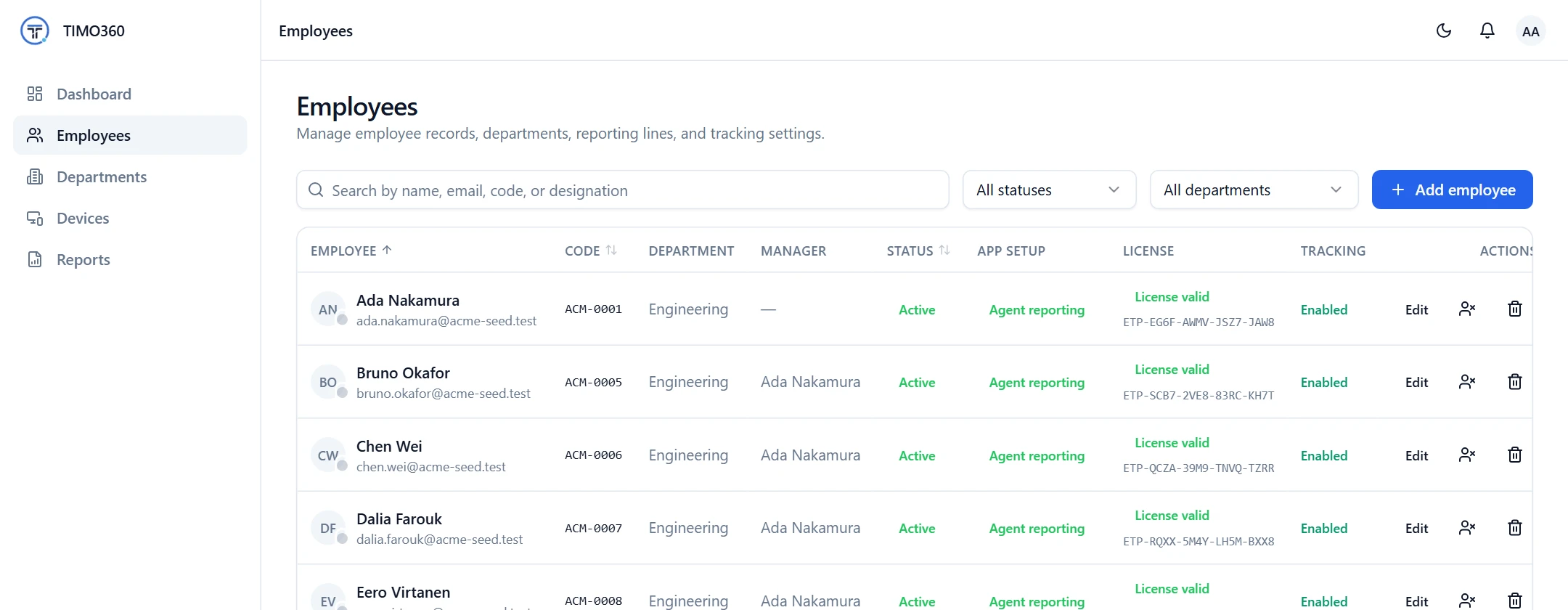
Your People, Organized
Everything you need to add, group and look after the people you track.
Add and invite
Add an employee and they receive an invite with an enrollment code. Resend it any time.
Departments with managers
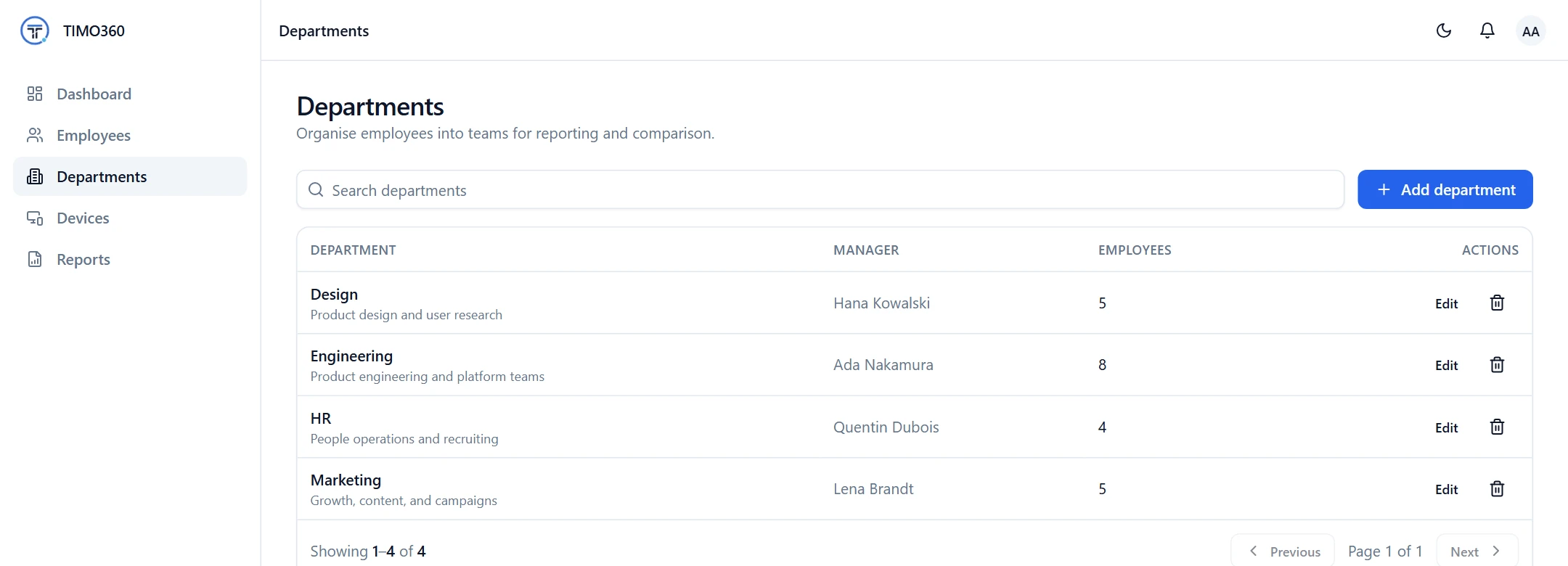
Group employees into departments and assign a manager to each one.
Onboarding at a glance
See who has an invite pending, an invite sent, a device linked or an agent reporting.
Invite Your Team in Minutes
Add an employee and the platform emails an invite with a single-use enrollment code and a link to download the desktop agent. The employee installs the agent, enters the code and is tracked from their first punch in.
Lost the email? Use Resend invite from the employee's page to issue a fresh code.
- Search employees by name, email, code or designation
- Filter by status and department
- Each employee has a Department, Manager and Tracking setting
Issue enrollment code
XXXXXX-XXXXXX-XXXXXX
Single-use, expires in 1 day. The employee enters it into the desktop agent to connect their device.
See Who Has Finished Setup
Rolling out to a whole company takes a few days. Each employee shows an onboarding status, so you know exactly who still needs a nudge.
Onboarding status
The employee record exists, no invite yet
The invite email with an enrollment code was sent
The employee enrolled the desktop agent
A device has reported in the last 24 hours
Departments Built Around Your Structure
Create departments and assign a manager to each. Managers see their own team: their direct reports and the departments they head. Organization administrators see everyone.
Deactivate or Delete, Your Choice
When someone leaves, deactivate them. Tracking and sign-in stop and their license is released. To remove a record entirely, delete the employee permanently. That is blocked while they head a department, have direct reports or have devices assigned, so nothing is orphaned.
Tracked time
Active time
Idle time
Break
Punch in
Punch out
More Features for Managing Your Team
Device Management
Enroll devices with one-time codes, watch their status and revoke access when needed.
Devices
Issue enrollment codeRoles and Access Control
Administrators, managers and employees each see exactly what they need.
FAQ
Use Add employee in the Employees page. The platform emails an invite with an enrollment code, and you can resend it at any time.