
Privacy-First Employee Monitoring Software
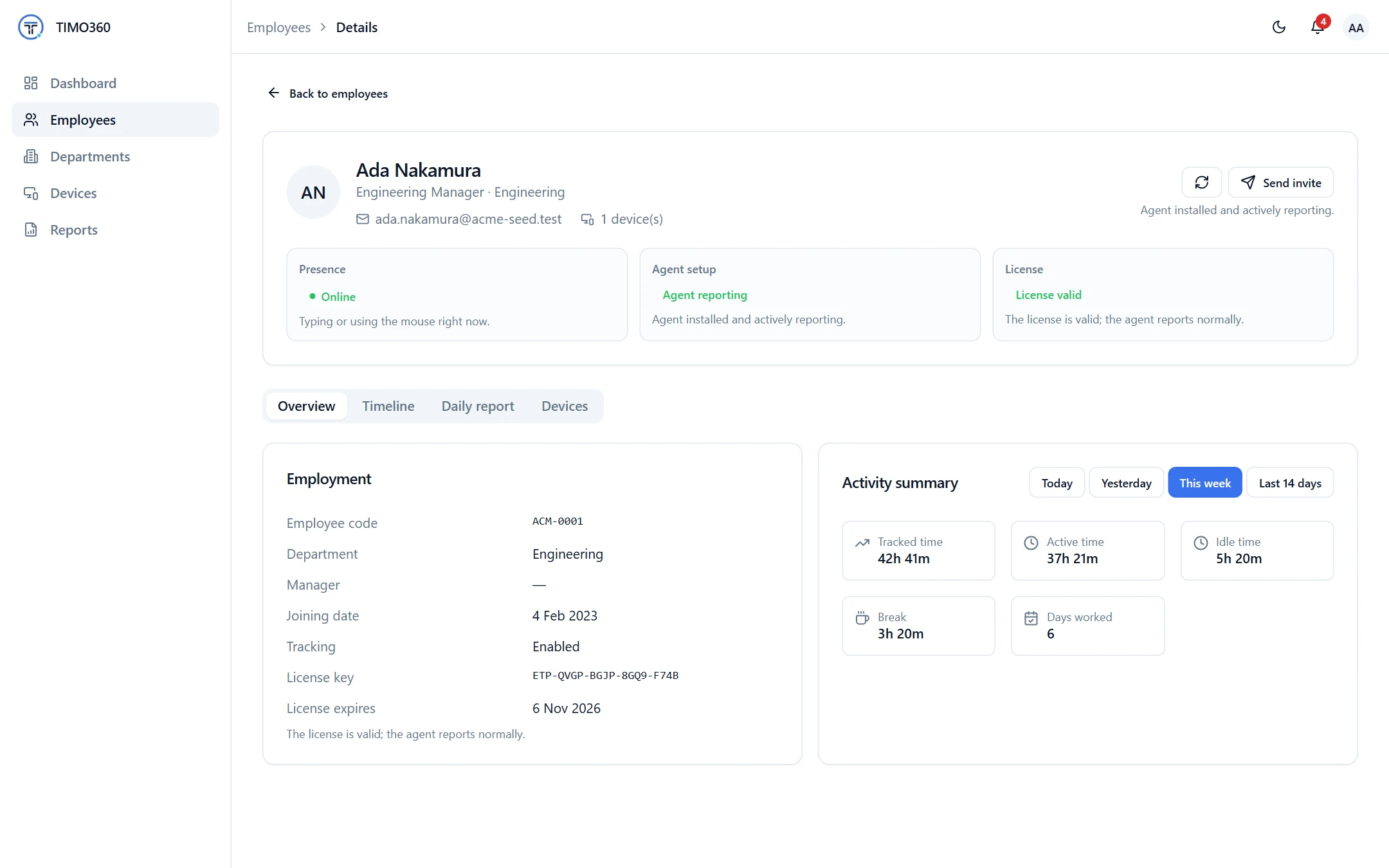
TIMO360 monitors how work happens (who is present, who is active or idle and which application is in use) instead of recording what employees see or type. A lightweight desktop agent reports presence signals only, and every employee can see their own data.
- No screenshots or keystroke logging
- Windows, macOS & Linux
- Per-employee pricing
Why Employee Monitoring Is Hard to Get Right
The usual options fit most teams badly. Here is what gets in the way.
Surveillance erodes trust
Screenshots, screen recording and keystroke logs turn a management question into a trust problem.
No consistent attendance record
Without one source of truth, start times, breaks and hours are only as good as whoever wrote them down.
Unclear who can see what
Monitoring data needs different access for administrators, managers and the employees it describes.
Monitoring nobody can explain
A rollout goes better when employees know exactly what is and is never collected.
Employee Monitoring on Presence Signals, Not Surveillance
Presence signals, not content
The agent knows that keyboard or mouse input happened, never what was typed or clicked. Idle time starts when input stops for longer than a threshold you set.
Activity level trackingAttendance you can rely on
Employees punch in and out and take breaks from the agent, and every day is split into working, idle and break time.
Attendance trackingThe application in use
The active application name and window title text are recorded, so each employee's timeline shows what was in front. For a browser, the title is the active tab's name. URLs, page content and screen content are never captured.
Privacy policyAlerts for administrators
Administrators get in-app notifications when an employee has been idle or offline for over 2 hours, or a device stops reporting.
Alerts and notificationsRole-based access
Org Admins, managers and employees each see only what their role allows, and every record is scoped to your organization.
Roles and access controlTransparent to employees
Every employee has a personal My Report of their own data, and the list of what is and is never collected is public.
What employees can seeHow It Works
From sign-up to your first report in three steps.
Create your organization
Sign up, set the timezone and idle threshold, and invite employees by email.
Employees enroll their computer
Each employee installs the agent and enters a single-use enrollment code. Tracking starts when they punch in.
Monitor from the dashboard
See live status, employee timelines, reports and alerts, scoped to your role.
What It Does Not Do
Worth knowing before you decide.
- No screenshots, screen recording, keystroke logging, webcam, microphone or clipboard capture.
- No GPS or location tracking, and no live view of an employee's screen.
- No productivity scoring and no productive or unproductive classification of applications.
- A desktop agent only: there is no mobile app.
Exactly What Is Collected, and What Never Is
Collected
- The active application name and process ID
- Window title text, as text only and never page content
- A yes/no keyboard and mouse activity signal
- Punch in/out, break and meeting times recorded in the agent
- Device details such as OS version and agent heartbeats
Never collected
- Screenshots or screen recording
- Keystroke logging — never what you type
- Webcam or microphone capture
- Passwords, clipboard or form contents
- Full page URLs or query strings
- Message or document contents
Your organization remains responsible for telling employees how they are tracked and for complying with local law. Read the full privacy policy.
Employee Monitoring Questions
More in the full FAQ.
Is TIMO360 a keylogger or screenshot tool?
No. The agent only detects whether keyboard or mouse input is happening, never what was typed or clicked. There is no code path in the desktop agent or backend that records keystrokes, clipboard data, passwords, webcam video or screen captures.
What does the agent record?
The active application name, window title text, a yes/no keyboard and mouse activity signal, the punch in and out, break and meeting times employees record, and device details such as operating system and agent version. For a browser, the window title is the name of the active tab.
Is anything tracked when an employee is not working?
No. Nothing is tracked before an employee punches in, after they punch out, or during a break.
Can employees see what is tracked about them?
Yes. Every employee has a personal My Report of their own data and can only view their own activity.
Does TIMO360 work on Windows, macOS and Linux?
Yes. One desktop agent covers all three. On macOS, window titles need the operating system's Screen Recording permission, which each employee chooses whether to grant.
Ready for Attendance & Presence Tracking That Respects Your Team?
Set up your organization, install the agent, and start seeing attendance and presence data in minutes — without a single keystroke or screenshot recorded.