
Employee Attendance Tracking Software
Replace manual timesheets with a clear attendance record. Employees punch in and out from the desktop agent, and you get punch times, active time, idle time and breaks for every day.
Attendance Tracking Benefits
Know who worked, when and for how long, without chasing anyone for a timesheet.
Punch in and out from the agent
Employees start and end their day with one button. Tracking runs only while they are punched in.
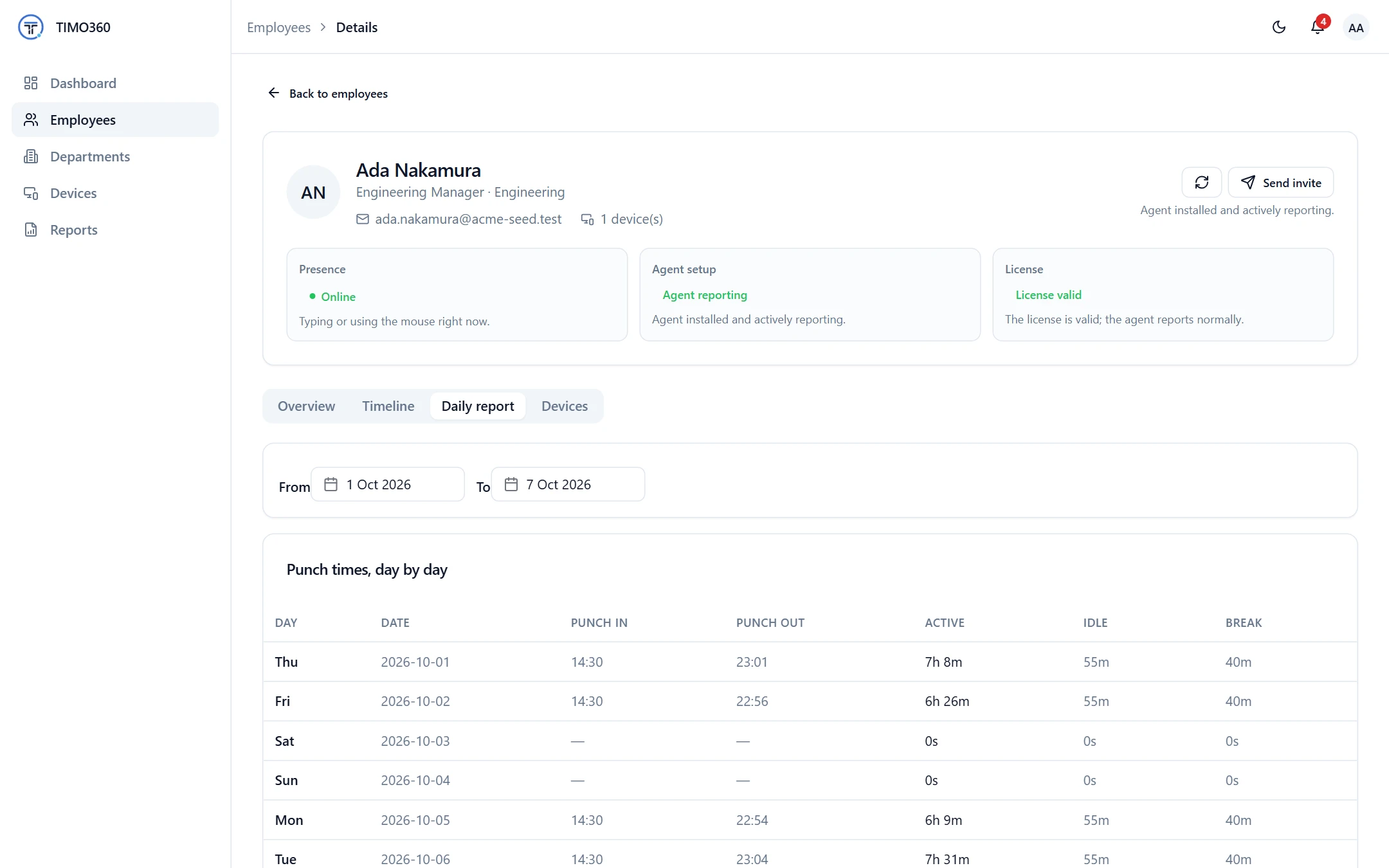
Punch times, day by day
A daily report lists punch in, punch out, active, idle and break time for each day.
Forgotten punch-outs closed
A session left open past local midnight is closed automatically, and administrators are notified.
Punch In and Out from the Desktop Agent
The desktop agent is where employees start and end their day. Punching in starts tracking, and nothing is tracked before they punch in, after they punch out, or during a break.
- Works on Windows, macOS and Linux
- One punch in per day, so each day has one clear record
- Tracking pauses automatically during breaks
You're not punched in — nothing is being tracked. Punch in to start your day.
Nothing is tracked before you punch in, after you punch out, or during a break.
A Clear End to Every Day
Punching out asks for confirmation and an optional reason, such as feeling unwell or leaving early. Today's shift is then marked complete, and the employee punches in again the next day.
After punching out, the agent shows a Shift summary of punched in, punched out, active, idle, break and meeting time, which can be downloaded as an image.
Punch out?
Today's shift will be marked complete. You can only punch in again tomorrow — there's no punching back in later today.
Reason
e.g. Feeling unwell, Leaving early
Forgotten Punch-Outs, Handled Automatically
If a punch session is still open past local midnight, the platform closes it automatically and notifies administrators with an Employee auto punched out notification. Open breaks and meetings are closed too.
Local midnight follows your organization's timezone, which you set in Preferences.
Preferences
Organization timezone
Auto punch-out, break auto-close and day-wise reports are all calculated against local midnight in this timezone.
A Shift Summary for Every Employee
Employees also have a My Report page with a Punch & Attendance Summary, including punch in, punch out and days worked, so they can see exactly how their time was recorded.
Shift summary
Download image
More Features for Attendance Management
Breaks and Meetings
Start and end breaks and meetings from the agent. Breaks pause tracking, and meetings count as active.
Reason (optional)
e.g. Lunch, Doctor appointment
Reports and Exports
Daily, weekly and monthly reports, exported as CSV, Excel or PDF.
FAQ
From the desktop agent, with the Punch In and Punch Out buttons. Tracking runs only while they are punched in.