
Employee Break and Meeting Time Tracking
Time away from the keyboard is not time off the clock. Employees start breaks and meetings from the desktop agent, and your time records reflect how people really work, with no manual edits.
Reason (optional)
e.g. Lunch, Doctor appointment
Description (optional)
e.g. Sprint planning, Client call
Time in a meeting is counted as active, but no application or window detail is recorded while it runs.
Fair by Design
Honest records protect both employees and employers.
Breaks pause tracking
While a break is running, nothing is tracked, so time away is never counted as idle.
Meetings count as active
Meeting time is counted as active time, even when nobody is touching the keyboard.
No detail recorded in meetings
No application names or window titles are recorded while a meeting is running.
Take a Break Whenever You Need One
Employees start a break from the desktop agent and end it when they return. They can add an optional reason, such as lunch or a doctor appointment. There is no cap on break time, and the agent shows the day's break total.
- Optional reason for each break
- Tracking pauses for the whole break
- Break time is recorded separately from idle time
- A break left open is closed at local midnight
Reason (optional)
e.g. Lunch, Doctor appointment
Meetings That Count, Without the Detail
A long call can look like inactivity to a tracker that only watches the keyboard. Employees mark a meeting from the agent, with an optional description such as sprint planning or a client call, and that time is counted as active.
While a meeting is running, no application or window detail is recorded.
Description (optional)
e.g. Sprint planning, Client call
Time in a meeting is counted as active, but no application or window detail is recorded while it runs.
Tracking That Adapts to Your Day
Tracking runs only while an employee is punched in, not on a break. Breaks pause it, and meetings count as active time, so the record of the day fits together without edits.
How a day is recorded
Break and Meeting Time in Every Report
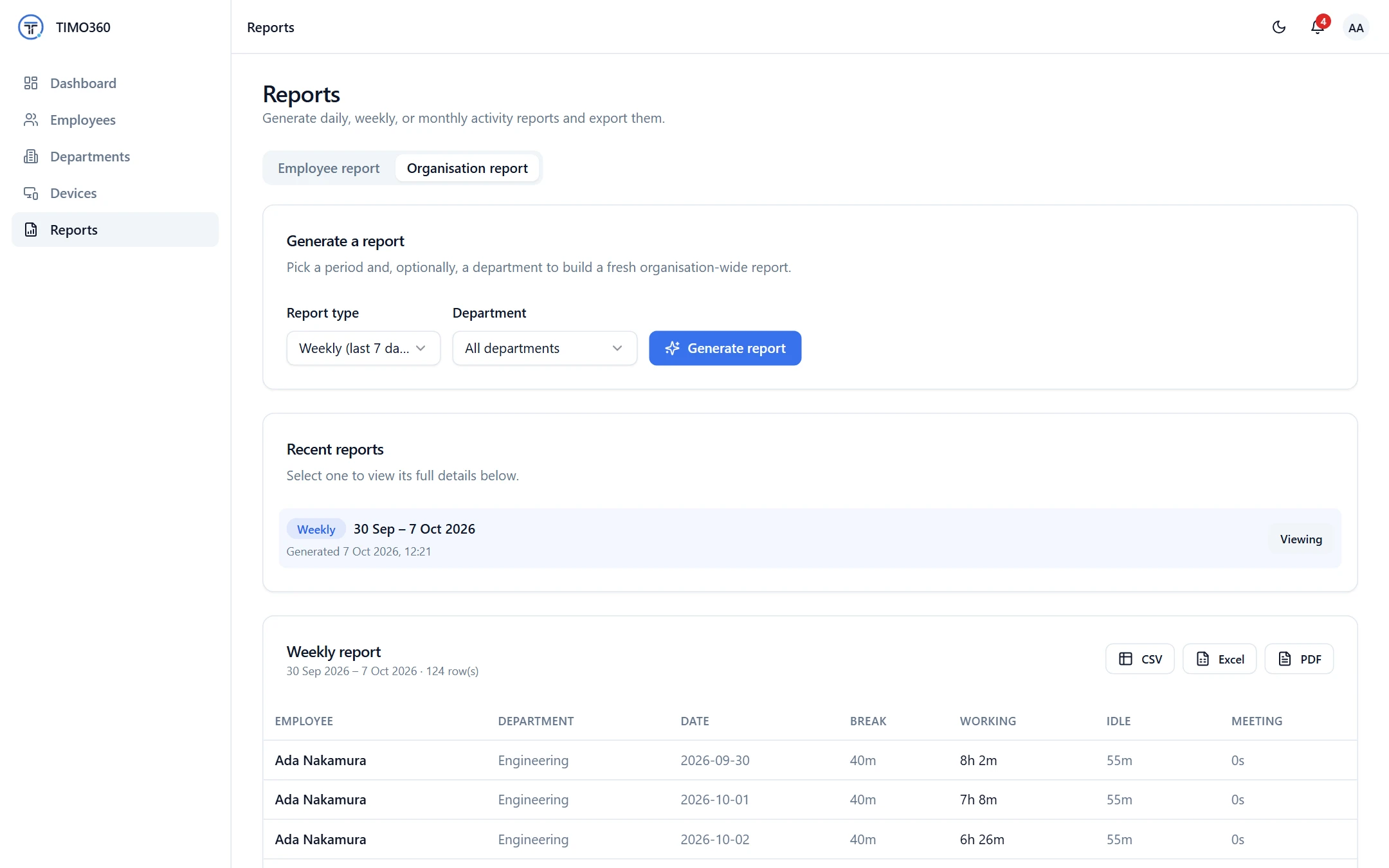
Reports show Break, Working, Idle and Meeting time for every employee, so managers and finance see the full picture. Export reports as CSV, Excel or PDF.
More Features for Fair Time Tracking
Attendance
Punch in and out from the desktop agent, with a Shift summary at the end of the day.
You're not punched in — nothing is being tracked. Punch in to start your day.
Nothing is tracked before you punch in, after you punch out, or during a break.
Activity Level Tracking
Active, idle and break time side by side, based on keyboard and mouse presence only.
Activity summary
FAQ
Employees start and end a break from the desktop agent and can add an optional reason. Tracking pauses while the break is running.