
Employee Productivity Reports and Exports
Turn tracked time into clear reports in seconds. See where the hours went, then export them as CSV, Excel or PDF.
Reporting That Holds Up
Accurate numbers you can hand to finance, clients or leadership.
Every hour accounted for
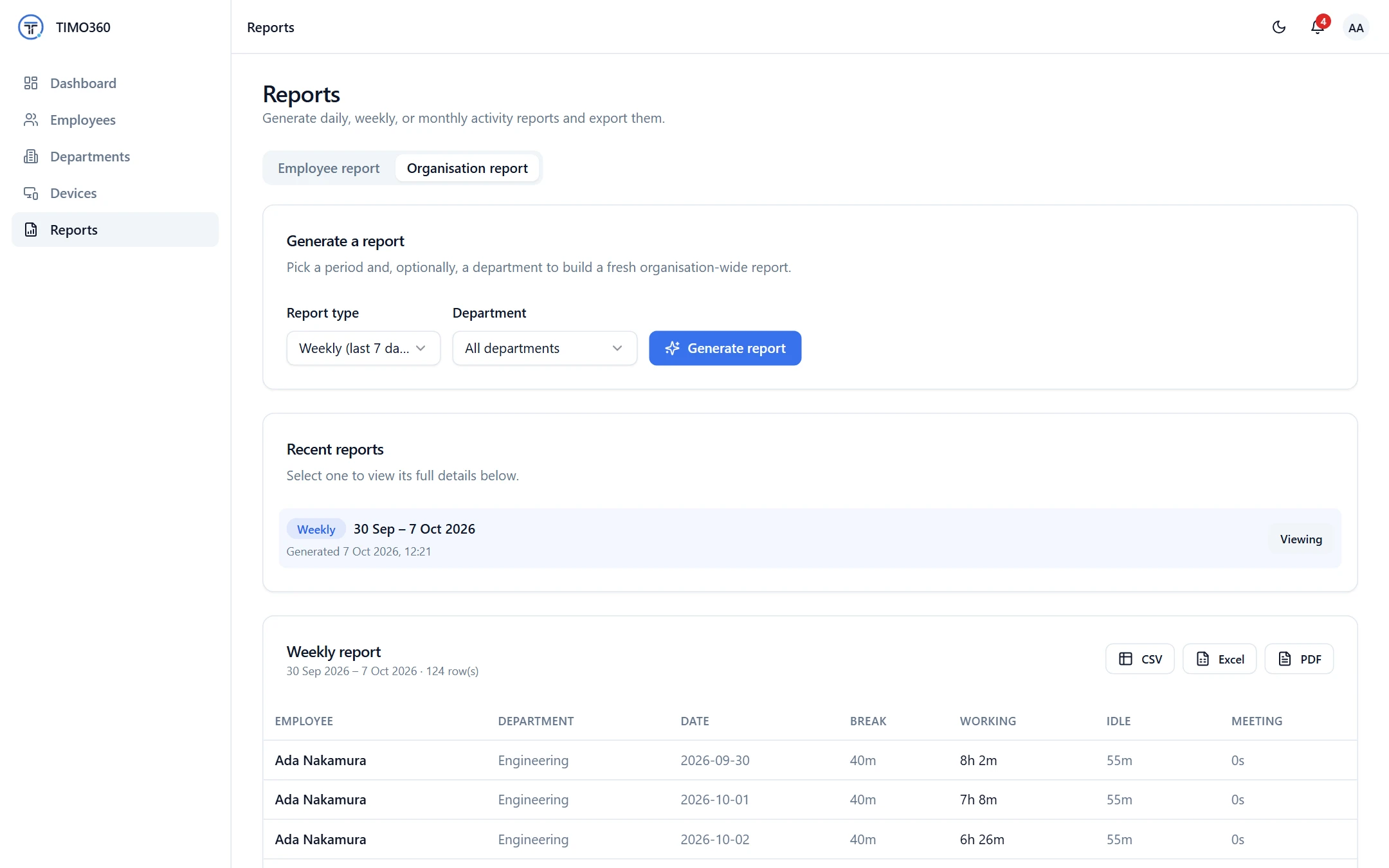
Reports show Break, Working, Idle and Meeting time for each employee and date.
Export in one click
Download any report as CSV, Excel or PDF.
Transparent to employees
Employees get their own My Report, which builds trust and reduces disputes.
Export in the Format You Need
Every generated report has CSV, Excel and PDF buttons. Use CSV or Excel to work with the numbers in your own tools, and PDF when you need a document to share.
- CSV for spreadsheets and custom analysis
- Excel (.xlsx) workbooks
- PDF documents
Export report
For spreadsheets and your own tools
An .xlsx workbook
A document to share
Daily, Weekly and Monthly Reports
Generate a Daily report for today, a Weekly report for the last 7 days or a Monthly report for the last 30 days. Filter by department, and switch between an Employee report and an Organisation report. Recent reports stay one click away.
Reports are built from presence and time data only, never from what people typed.
Daily
today
Weekly
last 7 days
Monthly
last 30 days
Drill Into Any Employee
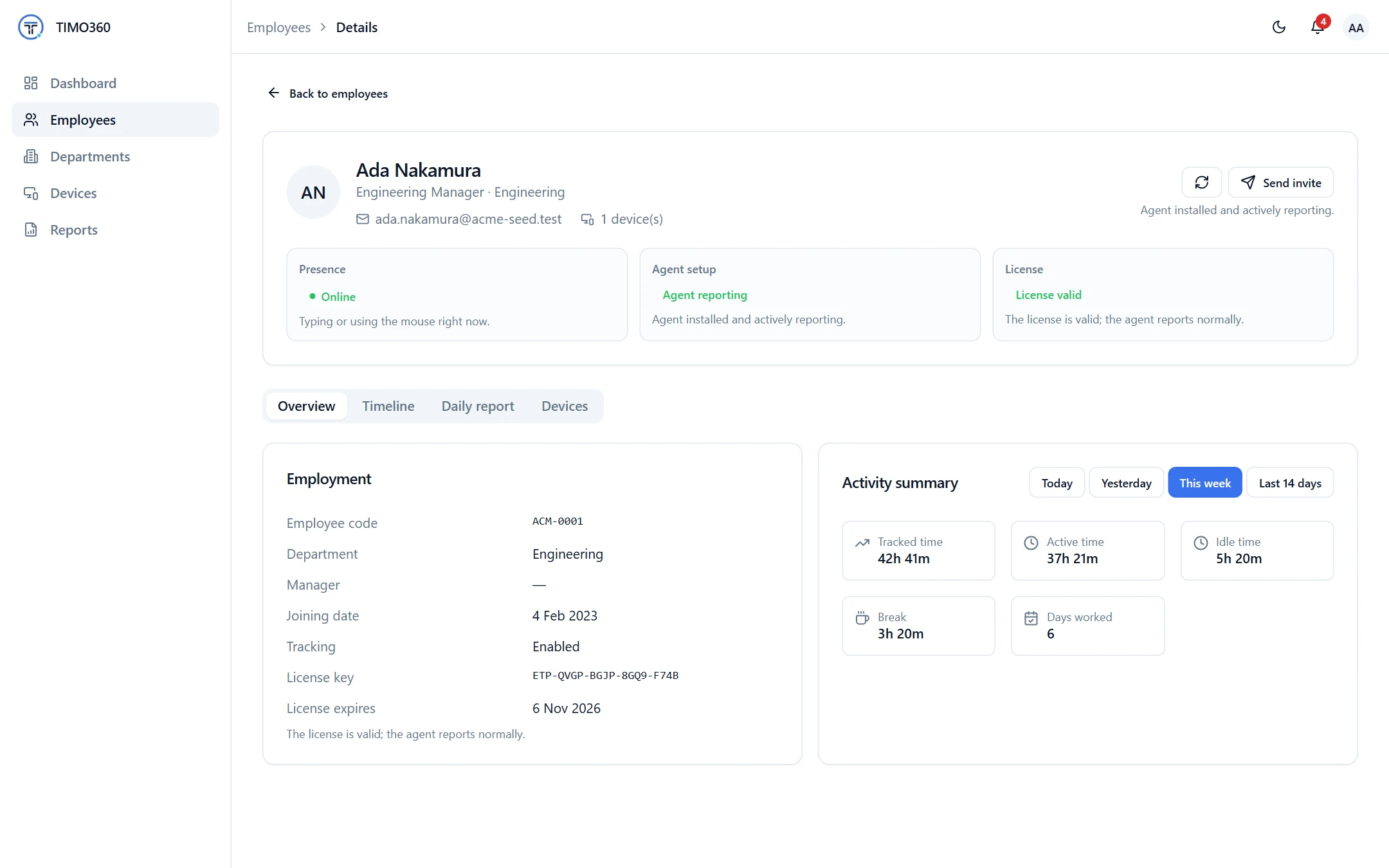
The employee report adds tracked time, active time, idle time, idle sessions and an activity timeline. An employee's Daily report lists punch in, punch out, active, idle and break for each day.
My Report for Every Employee
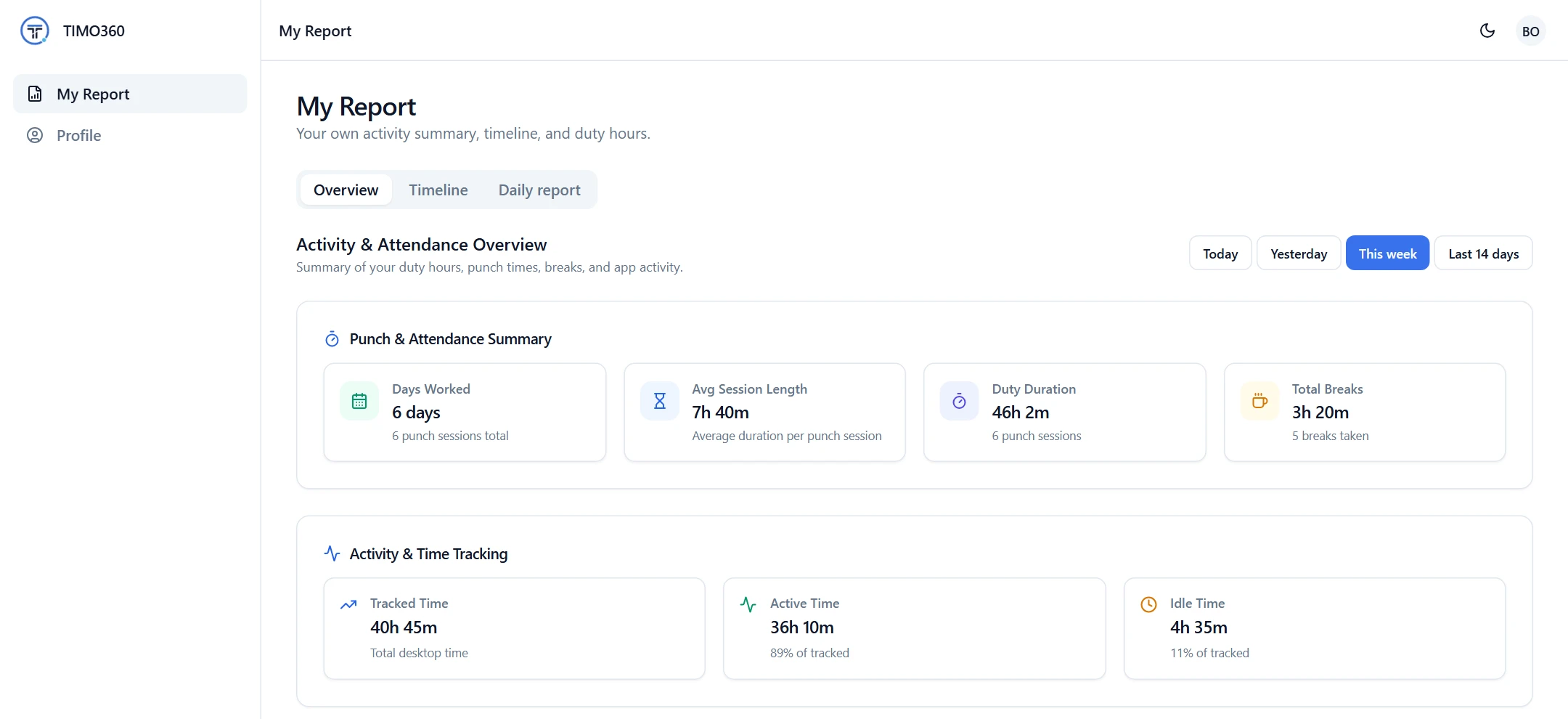
Employees can see exactly how their time was recorded. My Report shows their own activity summary, timeline and duty hours, with presets such as the last 7, 14 or 30 days. Employees only ever see their own data.
More Features to Complement Your Reports
Attendance
A timeline of punches, breaks and meetings feeds into each day's report.
Timeline
- Punched in
- Break started
- Break ended
- Meeting started
- Meeting ended
- Punched out
Real-Time Monitoring
See today as it happens on the dashboard, then find it in your reports.
Hourly activity
Active and idle time by hour of day
FAQ
Daily (today), Weekly (last 7 days) and Monthly (last 30 days) reports, as an Employee report or an Organisation report, optionally filtered by department.