
Employee Idle Time Alerts and Notifications
Stop checking dashboards all day. The platform raises a notification when something needs attention, so administrators can act on exceptions instead of watching everything.
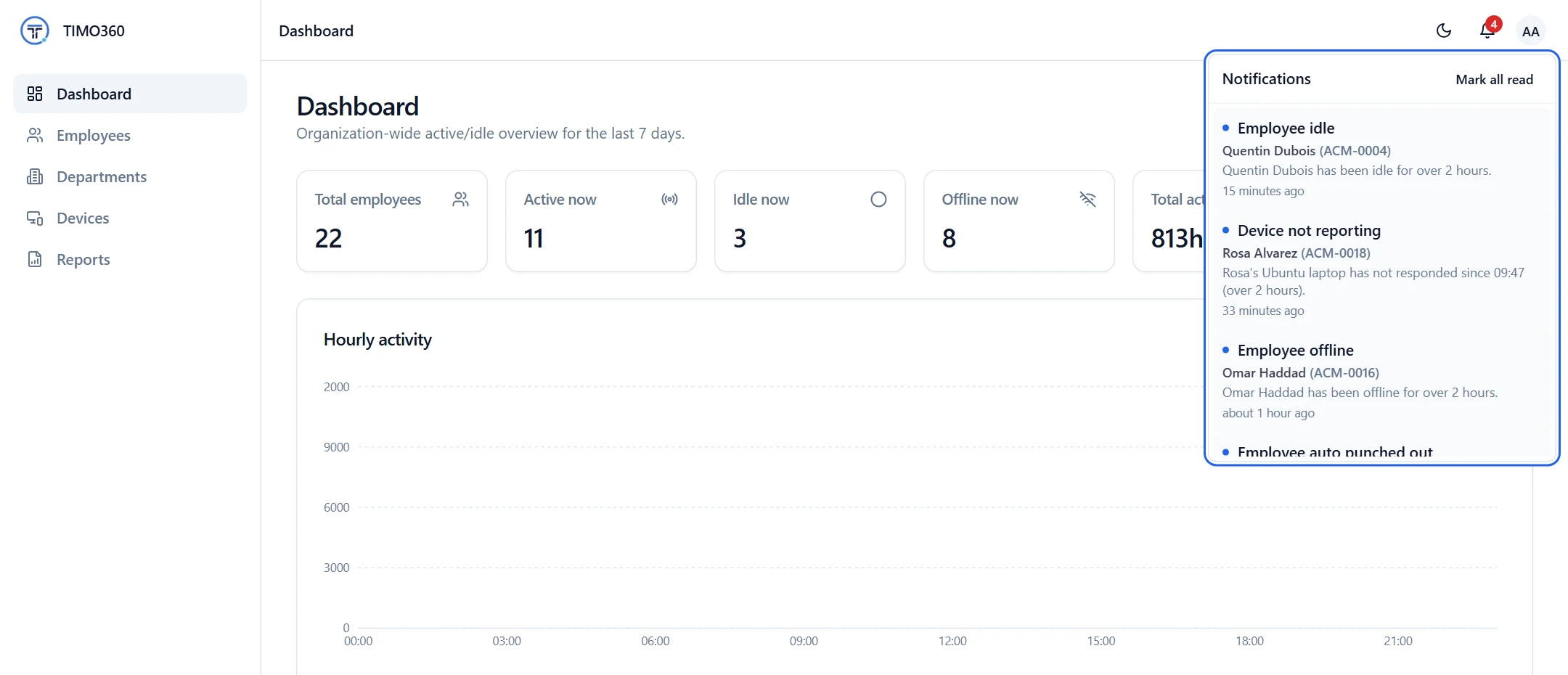
Know When It Matters
Useful notifications, not noise. Each problem is raised once.
Idle and offline alerts
Be told when an employee has been idle or offline for over 2 hours while punched in.
Silent device alerts
Spot a device that has not responded for over 2 hours while its employee is punched in.
No alert fatigue
One notification per outage, and read state is tracked separately for each administrator.
Notifications Raised Automatically
The platform checks for problems in the background every few minutes. When one is found, a notification is created once, so you never have to chase the same issue twice.
- Employee idle: idle for over 2 hours
- Employee offline: offline for over 2 hours
- Device not reporting: no response for over 2 hours
- Employee auto punched out: session open past midnight
When notifications are raised
Employee idle
Idle for over 2 hours while punched in
Employee offline
Offline for over 2 hours while punched in
Device not reporting
Device unreachable for 2 hours while its employee is punched in
Employee auto punched out
Session still open past local midnight
One notification per outage, so the same problem is not repeated.
Right in the Dashboard
Administrators see a Notifications bell in the dashboard, and new notifications are pushed to it as they are raised. Open the list, then mark notifications read one at a time or all at once.
Read state is kept per administrator, so one person's inbox never affects another's.
Forgotten Punch-Outs, Handled
When a punch session is still open past local midnight, it is closed automatically and an Employee auto punched out notification is raised, so a forgotten punch-out never becomes an inflated timesheet.
Local midnight follows your organization's timezone.
Preferences
Organization timezone
Auto punch-out, break auto-close and day-wise reports are all calculated against local midnight in this timezone.
More Features to Keep You Informed
Attendance
Employees punch in and out from the agent, and every day gets a clear record.
You're not punched in — nothing is being tracked. Punch in to start your day.
Nothing is tracked before you punch in, after you punch out, or during a break.
Real-Time Monitoring
See who is active, idle or offline, then act on what notifications tell you.
FAQ
Employee idle and Employee offline (over 2 hours while punched in), Device not reporting (no response for over 2 hours while the employee is punched in), and Employee auto punched out (a session still open past midnight).