
Secure Employee Monitoring Software
Security and privacy are built in, not bolted on. Strong account protection for your admins, and an agent that is designed never to capture what people type or see.
What is collected
- Active, idle or offline status from keyboard and mouse presence
- Active application name
- Window title, as text
- Punch in/out, break and meeting times
What is never collected
- What you type
- Passwords or clipboard contents
- Screenshots or screen recordings
- Audio or webcam
Protected by Design
The same principles apply to every account, every device and every organization.
Two-factor authentication
Add a 6-digit code from an authenticator app to every sign-in.
Strong password hashing
Passwords are hashed with Argon2 and are never stored in a readable form.
No keystrokes, no screenshots
The agent detects that typing happened, never what was typed.
Two-Factor Authentication for Your Admins
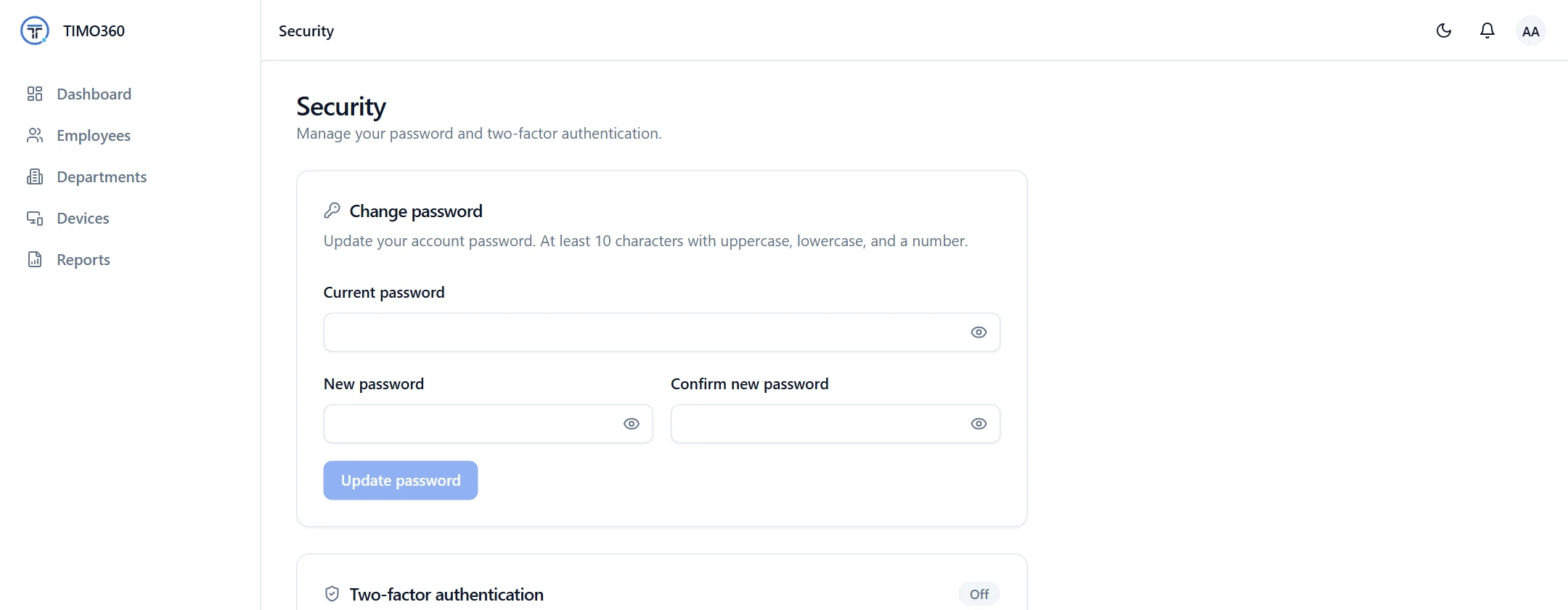
Add a second step to sign-in with any authenticator app, such as Google Authenticator, 1Password or Authy. Each administrator enables it from the Security page, and a stolen password alone is no longer enough to get in. It is strongly recommended for administrators.
- A 6-digit code from your authenticator app
- Turning it off requires your password and a code
- Change your password from the same page
An Agent That Never Watches Your Screen
The desktop agent records the active application name and window title as text, plus whether there was keyboard or mouse activity. It never records what you type, and it does not take screenshots, record the screen, capture audio or use the webcam. Nothing is tracked before an employee punches in, after they punch out, or during a break.
We publish exactly what is collected and what never is, in plain language, so employees know where they stand.
What is collected
- Active, idle or offline status from keyboard and mouse presence
- Active application name
- Window title, as text
- Punch in/out, break and meeting times
What is never collected
- What you type
- Passwords or clipboard contents
- Screenshots or screen recordings
- Audio or webcam
Sign-In Protection
Five failed sign-in attempts lock an account for 15 minutes. Sessions use short-lived access tokens with rotating refresh tokens, and reusing an old refresh token revokes the session. Password reset links are single-use and expire after 1 hour.
Two-factor sign-in
6-digit authenticator code
Account lockout
Locked for 15 minutes after 5 failed attempts
Refresh token rotation
Reuse of an old token revokes the session
Password reset
Single-use link valid for 1 hour
Your Data Stays Your Data
Every request is scoped to your organization, so your data stays separate from every other customer's. You also choose how long activity data is kept, and older data is deleted automatically.
Your organization
Your data only
Another organization
Never visible to you
More Features for Safe, Private Tracking
Roles and Access Control
Give people only the access they need, including view-only administrators.
Access
Full access
Can view and change everything
View only
Can see everything, change nothing
Data Retention
Choose how long data is kept, and let older data be deleted automatically.
Retention windows
Defaults. Each can be set from 1 to 3,650 days per organization.
FAQ
No. The agent only detects that typing or mouse activity happened, never what was typed.