
Employee Monitoring Data Retention
Keep data only as long as you need it. Set retention windows for your organization and let the platform delete anything older automatically.
Retention windows
Defaults. Each can be set from 1 to 3,650 days per organization.
You Decide How Long Data Lives
Less data means less risk, and the windows are set per organization.
Per-organization windows
Each retention window can be set from 1 to 3,650 days for your organization.
Separate windows by data type
Raw activity events, activity sessions and reports each have their own window.
Automatic deletion
A scheduled job runs every day and removes data past each window.
Retention Windows for Every Kind of Data
Raw activity events, the sessions built from them and the reports generated from those sessions are each kept for their own period. By default, raw events are kept for 7 days, sessions for 365 days and reports for 730 days.
- Raw activity events: 7 days by default
- Activity sessions: 365 days by default
- Reports: 730 days by default
- Each window can be set from 1 to 3,650 days
Retention windows
Defaults. Each can be set from 1 to 3,650 days per organization.
Old Data Is Deleted Automatically
A scheduled job runs every day at 2 AM and removes raw events, ended sessions and reports that are older than your organization's windows. You never have to remember to clean up.
Every day at 2 AM
Export Before It Ages Out
Deleted data cannot be brought back, so export any report you need to keep as CSV, Excel or PDF before it passes its window.
Export report
For spreadsheets and your own tools
An .xlsx workbook
A document to share
Set Your Organization's Timezone
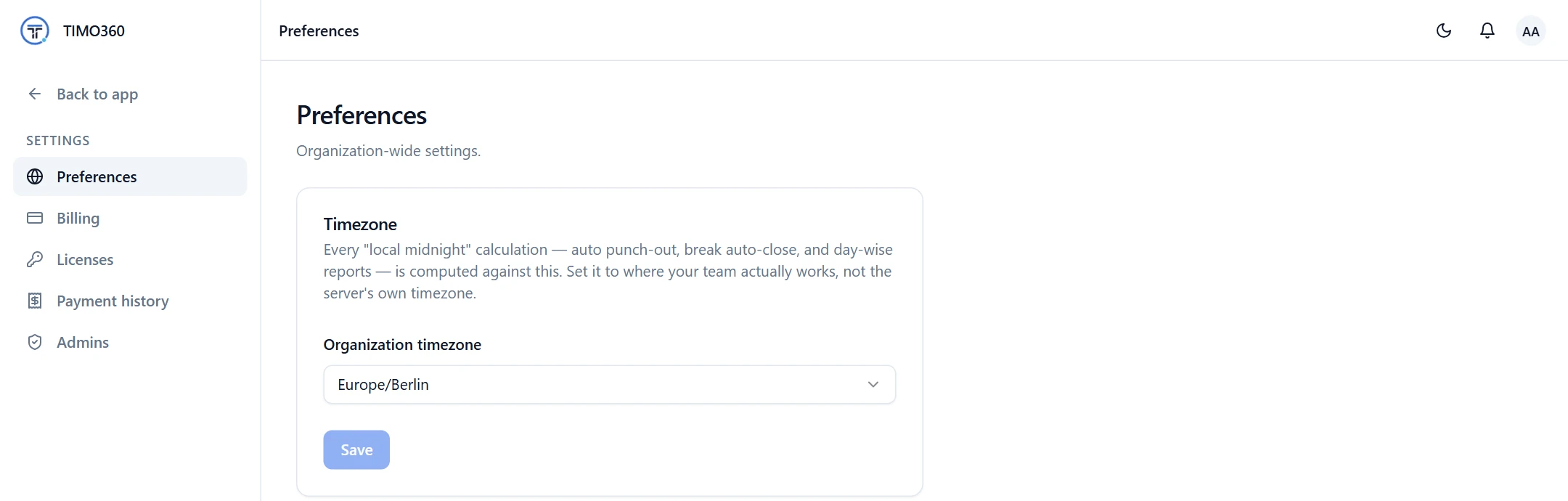
Your organization's timezone, set in Preferences, decides where each day starts and ends. Auto punch-out, break auto-close and day-wise reports are all calculated against local midnight in that timezone.
More Features for Responsible Data Handling
Security and Privacy
Two-factor sign-in and an agent that never records keystrokes or screens.
Two-factor authentication
EnabledAdds a 6-digit code from an authenticator app to every sign-in.
Roles and Access Control
Limit who can see and change data, including view-only administrators.
Access
Full access
Can view and change everything
View only
Can see everything, change nothing
FAQ
Raw activity events, activity sessions and reports. Each has its own window.